
Short-Term Rental Spreadsheet Pro
Track bookings, expenses, occupancy, ADR, RevPAR, channel mix and a tax-ready summary for every property — in one workbook.
- Log each booking once — every report updates automatically
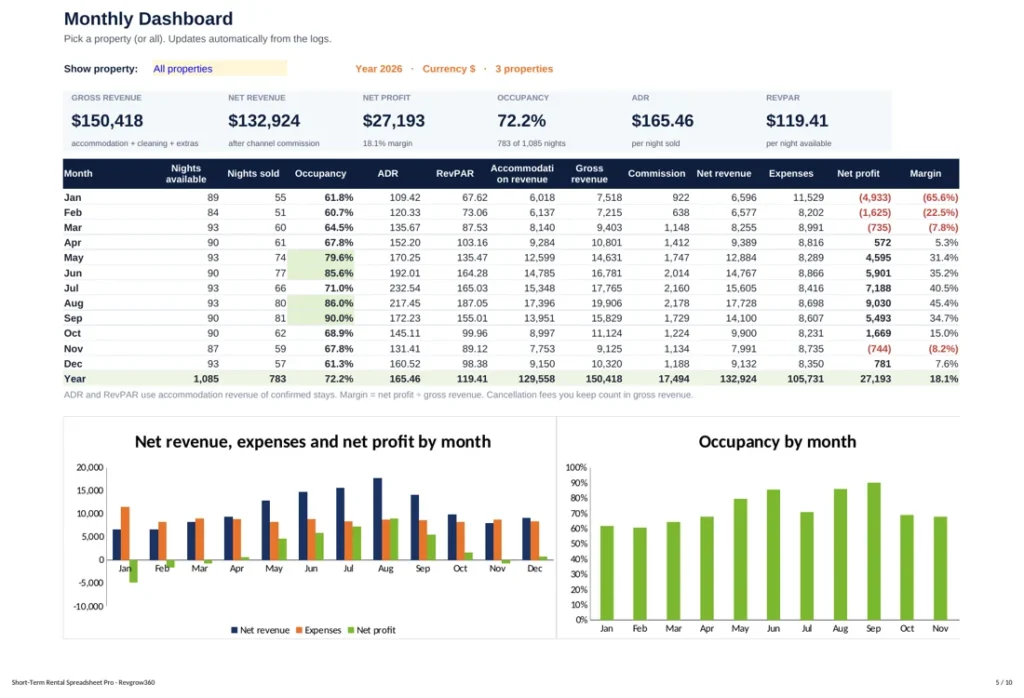
- See profit, occupancy, ADR and RevPAR by month and property
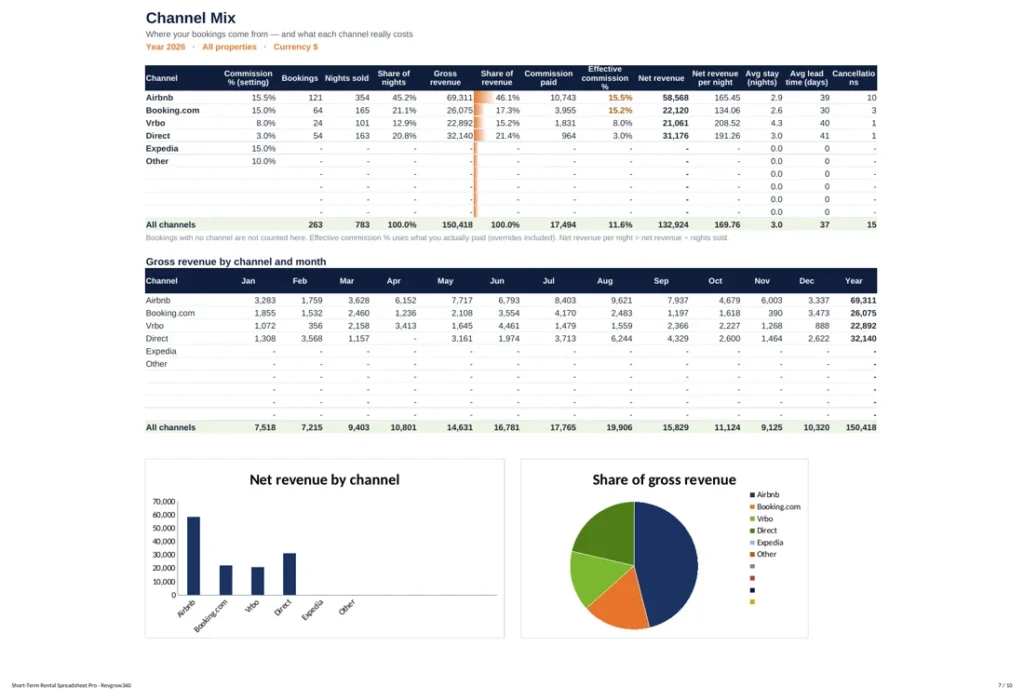
- Know what Airbnb, Booking.com and Vrbo really cost you
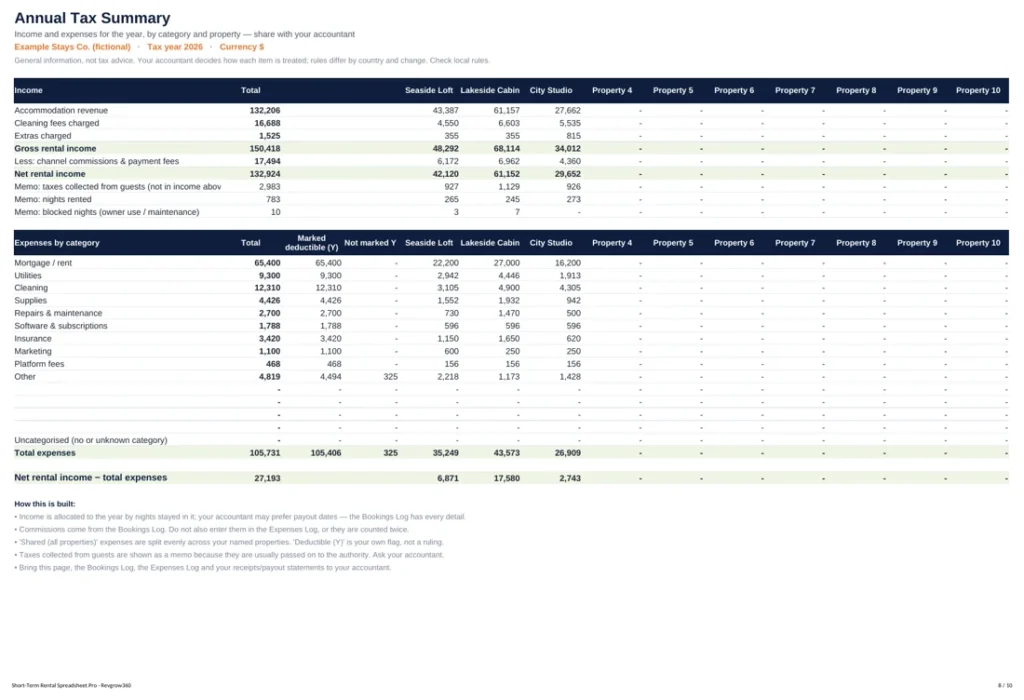
- Hand a clean annual tax summary to your accountant
Most hosts know their bookings. Few know their profit.
Platform payouts, cleaning fees, commissions, supplies and repairs spread across apps and bank statements. At the end of the month it is hard to say which property, channel or month actually made money.
Short-Term Rental Spreadsheet Pro puts it all in one place. You enter each booking and bill once; the workbook calculates your dashboard, compares properties and channels, builds your cleaning schedule and prepares a yearly tax summary.
Ten tabs that run your numbers
Set up once
- Start Here guide
- Settings: properties, channels, fees, currency and year
Log as you go
- Bookings Log with drop-downs
- Expenses Log with categories and shared costs
See the numbers
- Monthly Dashboard with charts
- Property Comparison
- Channel Mix and real commission
Run the business
- Annual Tax Summary
- Cleaning Schedule from check-outs
- Goals Tracker
What you get
See every tab before you buy
Get a free PDF preview of all ten tabs filled with example data — dashboard, channel mix, tax summary, cleaning schedule and more.
This is for you if…
- You host one to ten short-term rental properties
- You sell on Airbnb, Booking.com, Vrbo, Expedia or direct
- You want clear monthly numbers without expensive software
It’s not for you if…
- You need a full property management system with channel sync
- You want an accountant’s tax filing service
One payment. Yours forever.
Spreadsheet Pro
- Example workbook + blank workbook
- 10 tabs, up to 10 properties
- Dashboard, channel mix and tax summary
- Works in Excel and Google Sheets
- Any currency
Prices in US dollars — your card or PayPal converts automatically. Instant download after payment. All sales are final (digital download).
Questions, answered
Does it work in Google Sheets?
Yes. Upload it to Google Drive and open it with Google Sheets. It also works in Excel and LibreOffice.
Is it a tax return?
No. The Annual Tax Summary organises your income and expenses so your accountant can file correctly. It is not tax advice.
How do I receive the files?
Right after payment you get an email with your download link. You can download on your phone, tablet or computer.
Can I use it for more than one property?
Yes, for properties you own or manage. You may not resell or share the files publicly.
Need help?
Email revenue@revgrow360.com and we will reply as soon as we can.
Know your real profit every month.
An Excel and Google Sheets workbook for Airbnb and short-term rental hosts: bookings, expenses, occupancy, ADR, RevPAR, channel mix and tax summary.
Choose your edition