 By Md Arif Ahamed
Quick summary: Use this SOP for reservation handling to take, change and cancel hotel bookings accurately, with steps, timings, sample scripts and a ready checklist.
An SOP for reservation handling is a written, step-by-step procedure that tells reservation and front office staff exactly how to receive, confirm, change and cancel bookings from every source. A good reservation SOP prevents double bookings, wrong rates and missed requests, and it protects revenue by making sure every enquiry is answered fast and recorded correctly. This guide gives you a ready procedure you can adapt for a hotel, resort or homestay.
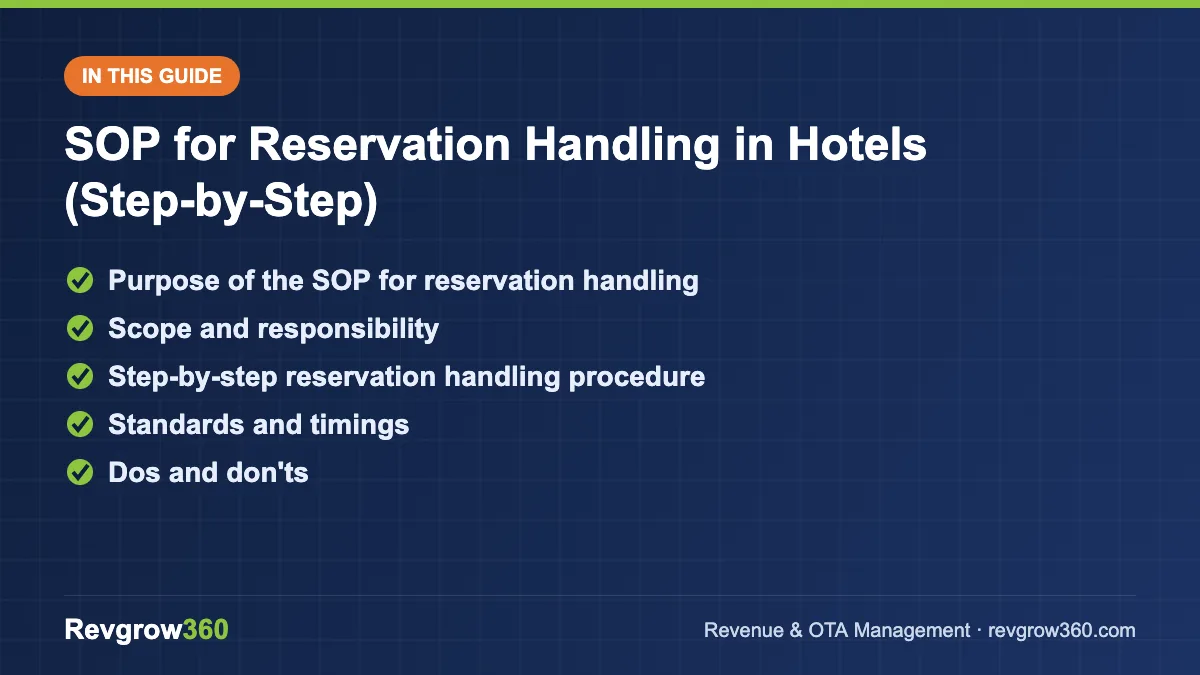
- Check live availability first
- Quote rate with taxes clearly
- Confirm in writing in 30 minutes
Purpose of the SOP for reservation handling
The purpose is to make every booking accurate, traceable and consistent, whether it comes by phone, WhatsApp, email, walk-in, your website or an OTA. When each team member handles reservations in the same way, guests receive the same quality of service and the hotel sells inventory at the right rate.
The SOP should achieve four results:
- No room is sold twice and no confirmed guest arrives to find no room.
- The correct rate, plan and inclusions are quoted and recorded.
- Every booking has a confirmation, a guest contact number and a payment or guarantee status.
- Changes and cancellations follow the stated policy, with a written trail.
Download 30 ready SOPs in Word or PDF.
Scope and responsibility
This SOP applies to the reservation desk, front office, sales team and anyone who accepts a booking, including night shift staff who take late calls. It covers direct bookings, OTA and channel manager bookings, corporate and group enquiries up to the point of handover to sales.
| Role | Responsibility |
|---|---|
| Reservation executive | Takes and enters bookings, sends confirmations, handles changes |
| Front office manager | Approves exceptions, reviews daily arrivals and overbooking risk |
| Revenue manager | Sets rates, restrictions and inventory limits |
| Sales manager | Handles groups, corporate contracts and special rate approvals |
| General manager | Owns the cancellation and deposit policy, audits compliance |
Step-by-step reservation handling procedure
A. New booking enquiry
- Greet and capture the basics. Answer within 3 rings on phone and within 15 minutes on WhatsApp or email during working hours. Ask for check-in date, check-out date, number of adults and children, and room preference.
- Check availability. Look at the live inventory in the PMS or channel manager, not at memory or a paper chart. Confirm the room type is open for every night of the stay.
- Quote the right rate. Quote the current rate for that date, the meal plan, taxes and what is included. State the taxes clearly so there is no surprise at check-in.
- Offer a choice. Present two options, such as a standard room and a higher category, rather than a single price. This supports upselling.
- Take guest details. Full name as on ID, mobile number, email, expected arrival time, and any special requests.
- State the policy. Explain the advance or guarantee, cancellation window and check-in and check-out times before the guest confirms.
- Collect the guarantee. Take the advance through UPI, payment link or card as per policy. Record the amount, date and reference number.
- Enter the booking. Create the reservation in the PMS with the correct source, rate plan, payment status and notes. Double-check dates and room count.
- Send the confirmation. Share the confirmation within 30 minutes by email or WhatsApp with booking number, dates, rate, policy, address, map link and contact number.
B. Modification
- Verify the guest by booking number and name.
- Check availability for the new dates or room type.
- Explain any rate difference before changing anything.
- Update the PMS, add a note stating who requested the change and when, and send a revised confirmation.
C. Cancellation
- Confirm the booking details and the time of the request.
- Apply the cancellation policy exactly as printed on the confirmation.
- Process any refund within the stated time and note the transaction reference.
- Release the inventory immediately so it can be resold, and update the channel manager.
- Send a written cancellation confirmation.
D. Daily close-out
- Reconcile the day’s bookings with OTA extranet and channel manager lists.
- Check tomorrow’s and the next three days’ arrivals for missing contact details or unpaid guarantees.
- Pass special requests (late arrival, cot, anniversary) to housekeeping and front desk.
Standards and timings
| Activity | Standard |
|---|---|
| Phone answered | Within 3 rings |
| WhatsApp or email reply | Within 15 minutes in working hours; within 2 hours otherwise |
| Confirmation sent | Within 30 minutes of booking |
| Inventory update after cancel | Immediately |
| Arrival list check | Daily, before 12 noon |
| Refund processing | As per policy, typically within a few working days |
Adjust these to your own hotel’s capacity. What matters is that the standard is written, known to staff and checked.
Dos and don’ts
Do
- Repeat dates, room type, rate and guest name back to the guest before closing.
- Record every promise made to the guest in the booking notes.
- Keep PMS, channel manager and OTA inventory synchronised. Our guide to the hotel channel manager explains how.
- Follow length of stay restrictions set by the revenue manager.
Don’t
- Do not give a rate below the floor without written approval.
- Do not hold rooms without a guarantee beyond the permitted time.
- Do not accept a booking on the strength of “I will pay at hotel” for peak dates without manager approval.
- Do not write bookings on paper or personal phones only.
Handling special situations
Fully sold dates
If the requested room type is sold out, never end the call with “no availability”. Offer the next category, nearby dates, or a waitlist entry with the guest’s number. Note the lost demand in a simple log, because repeated refusals on certain dates are a signal for the revenue manager to raise rates.
Group and corporate enquiries
For more than five rooms, do not quote from the standard rate card. Take the dates, room count, budget, meal needs and decision date, then hand over to sales within the same working day. The reservation desk should not block rooms for groups without sales approval and a written hold deadline.
Third-party and OTA bookings
OTA bookings arrive through the channel manager. Check each new booking for guest phone number, meal plan and payment type (prepaid or pay at hotel). If the guest contact is missing, ask for it through the OTA message tool before arrival.
Late-night and urgent requests
The night front desk may take same-day bookings. They must follow the same steps, collect ID details at check-in and never sell below the floor rate set for that night. Any exception goes into the shift handover log for the morning manager.
Sample scripts
“Thank you for calling Hotel Sunrise, this is Priya. How may I help you?”
“For 12 to 14 December, I have a Deluxe Room at ₹4,800 plus taxes with breakfast, and a Premier Room with a balcony at ₹5,600 plus taxes. Which would you prefer?”
“To confirm, we need an advance of ₹2,000 by UPI. Cancellation is free up to 48 hours before check-in. I will send the confirmation to your WhatsApp within a few minutes.”
Reservation handling checklist
| Item | Done |
|---|---|
| Dates, adults, children confirmed | Yes / No |
| Availability checked in live system | Yes / No |
| Rate, plan and taxes quoted | Yes / No |
| Policy explained | Yes / No |
| Guarantee or advance recorded | Yes / No |
| Guest name, phone, email entered | Yes / No |
| Special requests noted | Yes / No |
| Confirmation sent | Yes / No |
Common reservation errors to watch
- Entering the wrong year or month, especially around year-end.
- Forgetting to close inventory on all channels after a direct sale, which leads to overbooking. See our hotel overbooking strategy for safe handling.
- Quoting rates without taxes.
- Not recording the source, which spoils channel reports.
Key takeaways
- A reservation SOP standardises how bookings are taken, changed and cancelled.
- Always check live availability, quote clearly with taxes, and state the policy before confirming.
- Send a written confirmation within 30 minutes and record every special request.
- Release inventory the moment a booking is cancelled.
- Review arrivals daily and audit a sample of bookings weekly.
If you would like Revgrow360 to help you build SOPs and tune rates and channels together, explore our hotel revenue management service or book a free consultation.
For more background, see this standard operating procedure on Wikipedia.
Frequently asked questions
What is an SOP for reservation handling?
It is a written procedure that tells staff how to receive, confirm, modify and cancel bookings from every channel. It sets standards for response time, rate quoting, guarantees and confirmations so that every guest gets the same accurate service and the hotel avoids errors.
Who should follow the reservation SOP?
Reservation executives, front desk staff, sales team members and night shift staff who take bookings should all follow it. Managers use it to audit quality. Even owners who occasionally take bookings by phone should follow the same steps so records stay complete.
How quickly should a hotel send a booking confirmation?
A common standard is within 30 minutes of the booking, by email or WhatsApp. The message should include booking number, dates, room type, rate, taxes, policy, address and contact number. Faster confirmation reassures the guest and reduces repeat calls.
How often should the reservation SOP be reviewed?
Review it at least twice a year and whenever you change systems, policies or channels. Also update it after any serious booking error, such as a double booking, so the lesson becomes a written step that every team member follows.
More Hotel SOP guides
SOP for Group Check-in in Hotels (Step-by-Step)
Learn how to check in tour groups, wedding parties and corporate teams smoothly with a step-by-step SOP, timings, scripts and a checklist.
SOP for Walk-in Guest Handling in Hotels (Step-by-Step)
A step-by-step SOP for handling walk-in guests, with rate rules, ID and risk checks, scripts and a front desk checklist.
SOP for Guest Check-out in Hotels (Step-by-Step)
A step-by-step SOP for guest check-out covering billing, payment, deposits, feedback and a printable checklist for front desk teams.
SOP for Guest Check-in in Hotels (Step-by-Step)
A step-by-step SOP for guest check-in with timings, a sample script, dos and don'ts and a checklist for your front desk team.