
 By Md Arif Ahamed
Quick summary: Length of stay restrictions explained: how MinLOS, MaxLOS, CTA and CTD work, when to use them, a worked festival-weekend example and a weekly checklist.
Length of stay restrictions are rules that control which stay patterns a guest can book, such as a minimum number of nights or a ban on arriving on a particular date. Used well, they protect your busiest nights from being broken up by one-night bookings and fill the shoulder nights around them. Used carelessly, they block bookings you would happily have taken. This guide explains the main length of stay restrictions, including MinLOS, MaxLOS, CTA and CTD, shows when each one works, and gives a worked example and a weekly checklist you can apply in your channel manager.
- MinLOS protects peak nights
- CTA and CTD shape arrivals
- Review and remove weekly
What Are Length of Stay Restrictions?
Pricing decides how much a guest pays. Restrictions decide what a guest can book. A length of stay restriction is attached to a specific date (and sometimes a room type or rate plan) and limits arrivals, departures or the number of nights.
The reason they matter is simple: not every booking is equally valuable on a high-demand date. If Saturday is going to sell out anyway, a one-night Saturday booking can leave you with an empty Friday and Sunday that are much harder to sell. A two-night minimum on Saturday arrivals encourages guests to stay longer and spreads demand across the weekend.
Is a long-stay discount worth it?
The Main Types of Restrictions
Minimum length of stay (MinLOS)
MinLOS requires a booking to include at least a set number of nights. Most systems apply it in one of two ways:
- MinLOS on arrival: the restriction applies only to bookings that arrive on that date. A two-night minimum on Saturday arrival blocks a Saturday-only stay but allows a Friday arrival for two nights.
- MinLOS through (stay-through): the restriction applies to any booking that includes that date. A three-night minimum through New Year’s Eve means any stay touching 31 December must be at least three nights.
Check which version your channel manager and each OTA support, because the same setting can behave differently across channels.
Maximum length of stay (MaxLOS)
MaxLOS caps the number of nights. It is used less often, typically to stop a long stay at a low promotional rate from consuming high-demand dates later in the stay, or to keep a special offer limited to short breaks.
Closed to arrival (CTA)
CTA stops guests from arriving on a specific date, while still allowing guests who arrived earlier to stay through it. It is useful when a date is so strong that you only want to sell it as part of a longer stay that began before it.
Closed to departure (CTD)
CTD stops guests from checking out on a specific date. A common use is to prevent stays from ending on a busy night that you would like guests to stay through, or to avoid a high volume of check-outs on a day when operations are stretched.
Stop sell (closed)
A full stop sell closes a room type or rate for the date entirely. It is the bluntest tool and should be used sparingly, usually on rate plans rather than whole room types.
| Restriction | What it does | Typical use | Main risk |
|---|---|---|---|
| MinLOS on arrival | Sets minimum nights for arrivals on a date | Saturday arrivals on peak weekends | Blocks short stays if demand is weaker than expected |
| MinLOS through | Sets minimum nights for any stay including the date | New Year’s Eve, major festivals | Can be too restrictive if set early and left on |
| MaxLOS | Caps the number of nights | Limiting promotional or discounted stays | Turns away valuable long stays |
| CTA | No arrivals on the date | Protecting the peak night inside a longer stay | Lost arrivals if shoulder nights don’t sell |
| CTD | No departures on the date | Encouraging guests to stay through a busy night | Confusing for guests if overused |
When to Use Length of Stay Restrictions
Restrictions are worth applying when your forecast shows a clear demand peak and weaker shoulders. Common situations include:
- Peak weekends in leisure destinations, where Saturday fills well ahead of Friday and Sunday.
- Festivals and long weekends, such as Diwali, Christmas, New Year and national holiday weekends.
- Local events, like concerts, sporting events, conferences or a wedding season in your city.
- High-demand midweek dates in business hotels, where Tuesday and Wednesday fill before Monday and Thursday.
Restrictions should follow your forecast, not habit. If you have not built a demand forecast yet, start there; it tells you which dates actually need protecting. Our hotel revenue management service covers how forecasts, pricing and restrictions fit together.
Worked Example: Protecting a Festival Weekend
A hypothetical 40-room hotel in Goa is looking at a long weekend 45 days away: Friday, Saturday and Sunday nights.
- Saturday: 32 rooms on the books, forecast to sell out.
- Friday: 18 rooms on the books, forecast 30.
- Sunday: 10 rooms on the books, forecast 20.
If the hotel keeps selling Saturday-only stays, Saturday will sell out early while Friday and Sunday finish with 10 to 20 empty rooms.
Action plan:
- Apply MinLOS 2 on Saturday arrivals. Guests can still book Friday–Saturday or Saturday–Sunday.
- Leave Friday and Sunday open without restrictions so guests can book them alone.
- Review every two to three days. If Saturday pickup slows and occupancy stays below forecast inside 10 days of arrival, remove the restriction.
The result: each Saturday room booked now brings one shoulder night with it. Twelve remaining Saturday rooms sold as two-night stays add up to twelve extra Friday or Sunday room nights, which would have been hard to sell on their own.
How to Set Restrictions Step by Step
- Identify peak dates. Use your forecast to find dates expected to exceed roughly 85–90% occupancy with weaker dates on either side.
- Choose the lightest restriction that works. Start with MinLOS 2 on arrival before trying MinLOS through, CTA or longer minimums.
- Apply by rate plan where possible. You can leave a higher flexible rate open for one-night stays while restricting discounted rates. This keeps short stays available at a price that justifies them.
- Push through your channel manager. Make sure the restriction reaches every OTA and your booking engine consistently. See our guide to choosing the best channel manager for hotels if your current system does not map restrictions reliably.
- Record the reason. Note on your forecast sheet why the restriction was applied and when it should be reviewed.
- Review and remove. Restrictions left on too long are one of the most common causes of lost bookings close to arrival.
Common Mistakes With Length of Stay Restrictions
- Forgetting to remove them. A MinLOS set three months ago can block last-minute single-night bookings when demand is softer than forecast.
- Restricting too early. Applying restrictions before you have reliable booking pace can push guests to competitors.
- Using CTA when MinLOS would do. CTA closes the date to all arrivals; often a minimum stay achieves the goal with less lost business.
- Inconsistent mapping across channels. Some OTAs interpret restrictions differently, so a setting can appear on one channel and not another. Test with a dummy search on each.
- Ignoring the guest view. Guests searching for one night may see “no availability” rather than a message explaining the minimum stay. That can affect conversion and, on some platforms, visibility.
- Restricting every weekend by default. Blanket rules ignore the difference between a strong and an average weekend.
Restrictions on OTAs and Direct Channels
Most major OTAs support MinLOS, MaxLOS, CTA and CTD, but the exact behaviour, naming and whether restrictions apply per rate plan or per room can differ. Check each extranet after pushing a change. Your direct booking engine is a useful place to be flexible: some hotels keep restrictions slightly lighter on direct channels for loyal guests, provided rate parity obligations are respected. Your OTA management process should include a regular audit of restrictions alongside rates and content.
Weekly Restrictions Checklist
- Review the next 90 days for dates forecast above 85% with weak shoulders.
- Apply or adjust MinLOS, CTA and CTD where justified.
- Check every restriction currently live against the latest pickup.
- Remove restrictions on dates where pace has slowed, especially within 14 days of arrival.
- Spot-check two or three OTAs and your booking engine to confirm settings displayed correctly.
- Log changes and the reason for each.
Key takeaways
- Length of stay restrictions control stay patterns, while pricing controls rate; both are needed on peak dates.
- MinLOS on arrival is the most common and least disruptive tool; CTA, CTD and MaxLOS have narrower uses.
- Apply restrictions only where your forecast shows a peak with weaker shoulder nights.
- Restrict discounted rate plans first and keep a flexible rate open where possible.
- Review restrictions at least weekly and remove them as arrival approaches if demand softens.
Revgrow360 manages rates, restrictions and channel settings for independent hotels, resorts and homestays, and has supported 500+ hotels so far. Request a free hotel audit and we will review how your current restrictions are affecting peak-date revenue.
For more background, see this hospitality industry overview on Wikipedia.
Frequently asked questions
What does MinLOS mean in hotels?
MinLOS stands for minimum length of stay. It requires bookings to include at least a set number of nights. On arrival, it applies only to guests arriving on that date; stay-through MinLOS applies to any booking that includes the date. Hotels use it to stop one-night bookings breaking up peak periods.
What is the difference between CTA and CTD?
CTA, or closed to arrival, blocks guests from checking in on a specific date but lets guests who arrived earlier stay through it. CTD, or closed to departure, blocks check-outs on a date. CTA protects a peak night inside longer stays, while CTD encourages guests to stay through a busy night.
Do length of stay restrictions reduce bookings?
They can if applied too early, too widely or left on after demand softens. Used only on dates forecast to sell out with weaker nights either side, they usually increase total room nights. Review restrictions weekly and remove them as arrival approaches if booking pace slows below forecast.
Can I apply restrictions to only some rate plans?
Yes, most channel managers and OTAs allow restrictions per rate plan. A common approach is to restrict discounted or non-refundable rates with a minimum stay while leaving a higher flexible rate open for single nights. This keeps short stays available at a price that compensates for the lost shoulder night.
More Revenue Management guides
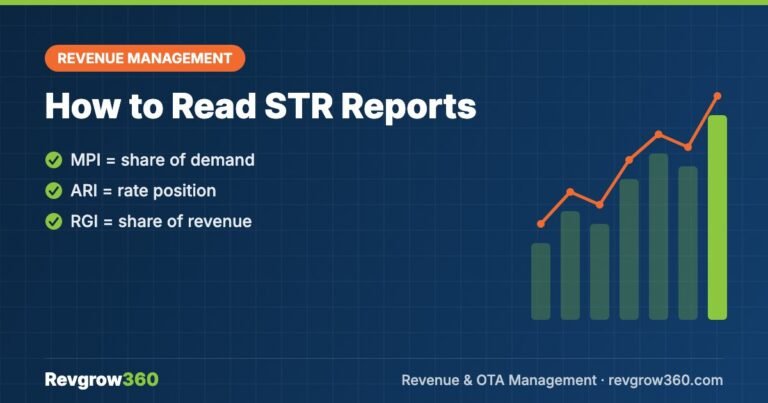
How to Read STR Reports: A Practical Guide
A plain-language guide to STR-style benchmarking reports, including MPI, ARI and RGI, with a worked example and monthly review steps.
Hotel Revenue Forecasting in Excel: A Practical Guide
Build a simple Excel workbook that combines history and on-the-books bookings to forecast rooms, ADR and revenue, then measure accuracy.
How to Build a Hotel Budget: A Practical Guide
A step-by-step method to build a hotel budget that starts with revenue, adds realistic costs and gets reviewed every month.
OTA Commission Rates for Hotels Explained
What hotels really pay OTAs once programmes, promotions and taxes are added, with typical commission ranges and practical ways to reduce OTA…
Revenue Management for Boutique Hotels: A Practical Guide
A practical guide to pricing and distribution for small, distinctive hotels, including room-type pricing, restrictions, channels and a weekly checklist.
Short Term Rental KPIs: 10 Metrics with Formulas
The 10 short term rental KPIs every host should track, each with a formula and a worked example, plus how to set…



Pingback: Airbnb Turnover Process: Step-by-Step Guide