 By Md Arif Ahamed
Quick summary: How to list hotel on TripAdvisor: claim or add your property, verify ownership, upload photos, connect rates and manage reviews. Simple steps and tips.
To learn how to list hotel on TripAdvisor, first search for your property to see if a listing already exists, then claim it through the TripAdvisor Management Center. If it does not exist, use the option to add a new property, submit your details, photos and proof of ownership, and wait for review. After approval you can manage photos, respond to reviews and connect rates. This guide covers each step and the best practices after you are live.
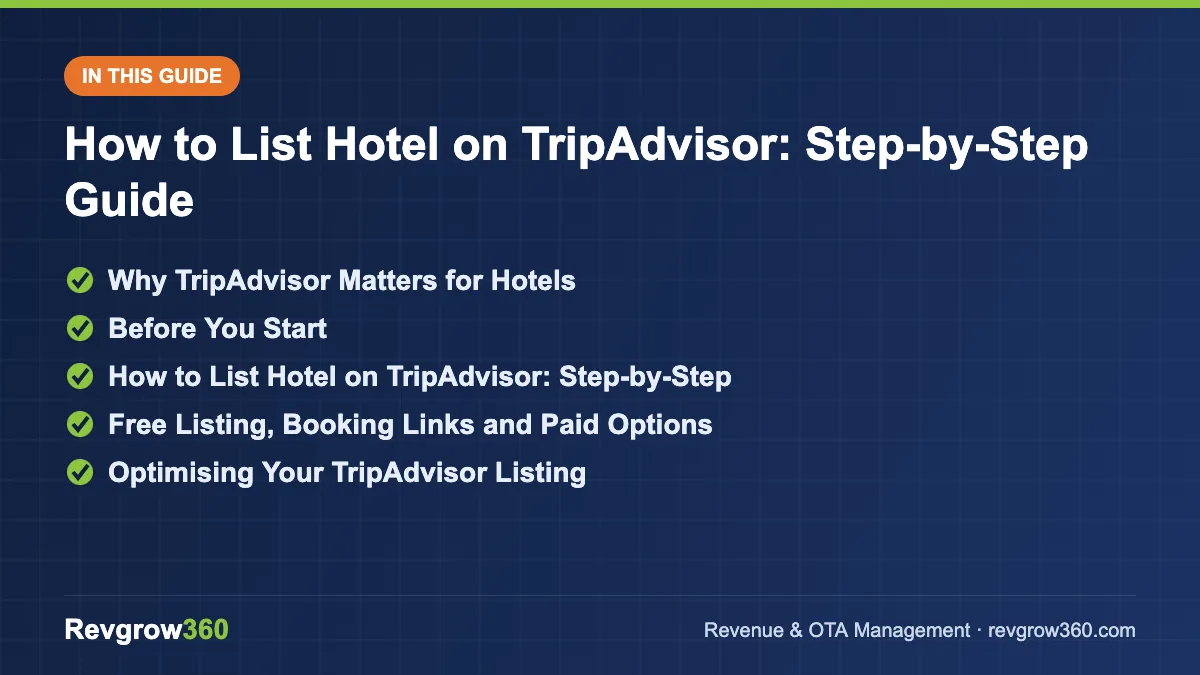
- Search, claim or add listing
- Verify and complete profile
- Connect rates and reply to reviews
Why TripAdvisor Matters for Hotels
TripAdvisor is mainly a research and review platform. Travellers use it to read reviews, view photos, compare hotels and then book either on TripAdvisor partners or on a hotel’s own website. Many guests read TripAdvisor reviews even when they book elsewhere, so your listing influences conversion across channels.
For a small property, a complete listing with good photos and quality reviews can bring visibility without paying commission, especially for foreign and leisure travellers. It also supports your reputation. Read our guide to hotel online reputation management for the wider picture.
Get 3 professional replies to any guest review.
Before You Start
Keep these ready
- Exact hotel name, address, phone number, email and website.
- Property type: hotel, B and B, inn, specialty lodging or vacation rental.
- Number of rooms, amenities and a short description.
- Photos of exterior, lobby, rooms, bathrooms, dining and views.
- Proof that you represent the property, such as a business email on your domain, licence or utility bill, as requested by TripAdvisor.
- Check-in and check-out times and key policies.
Property types and vacation rentals may have different listing routes, so choose the category that fits your business. Homestays and small guesthouses may fit under B and B or specialty lodging. Check the current options on the platform.
Revenue Health Score · free
Free tool: check your hotel’s revenue health
Answer a few quick questions about your rooms, rates, OTAs and reviews. Get a score out of 100, your weakest revenue areas and the first actions to fix them.
How to List Hotel on TripAdvisor: Step-by-Step
- Search for your property. Go to TripAdvisor and search your hotel name and city. Many hotels already have a listing created by guests.
- If it exists, claim it. Open the listing and use the option for owners to manage the listing. Create or sign in to your account.
- Verify ownership. Follow the verification method offered, such as email, phone or document upload.
- If it does not exist, add it. Use the option to add a hotel or property, select the category and fill in name, address, phone and website.
- Complete the profile. Add description, amenities, room types, languages, policies and contact information.
- Upload photos. Add at least 20 clear photos and label them, with a strong cover image.
- Check for duplicates. If a duplicate listing exists, request a merge or removal through the help tools.
- Set up booking links. Connect your rates and availability through a connectivity partner, channel manager or booking engine to appear in the booking section of the listing. Ask your provider which TripAdvisor options they support.
- Set up review tools. Use the review collection and reply features to invite guests and respond.
- Monitor and update. Check the dashboard for new reviews, questions and performance data.
Terms, tools and fees change, so confirm current steps on TripAdvisor’s official help pages and in your management account.
Free Listing, Booking Links and Paid Options
| Option | What it does | Notes |
|---|---|---|
| Basic listing and management | Claim, edit details, add photos, reply to reviews | Generally free for property owners |
| Booking links or instant booking via partners | Shows your rates and sends guests to your booking page or a partner | Needs a connected partner; commission or click costs may apply |
| Paid advertising or sponsored placements | Boosts visibility | Costs vary; test with a limited budget |
Link your TripAdvisor booking links to your own booking engine to encourage direct reservations. See our hotel booking engine guide and how to increase direct bookings.
Optimising Your TripAdvisor Listing
Photos and description
Use bright, true-to-life photos. Show real rooms, not only common areas. Write a description that names your location, hotel type and key features. A 25-room heritage hotel in Kolkata might highlight its architecture, walkability to cultural sites and local breakfast.
Amenities and policies
List all real amenities: Wi-Fi, parking, breakfast, airport pickup, power backup and family rooms. Add policies for pets, children and cancellation so guests have fewer surprises.
Reviews and responses
Reply to reviews, positive and negative, in a polite and specific way. Thank the guest, address the points, and invite them to return or contact you. Do not argue, offer rewards for good reviews or write fake reviews. Platforms can remove reviews and penalise a property that violates rules.
Sample reply to a critical review: “Thank you for your feedback, and we are sorry the air conditioner in your room did not meet your expectations. We have had it repaired and replaced the filter. We would be glad to welcome you again, and please contact me at the number on our page. Regards, Rahul, General Manager.”
Getting More Reviews the Right Way
- Ask guests at check-out, once they are happy, with a QR code or short link.
- Send a thank-you message after the stay with a review link.
- Train front desk and housekeeping staff on how and when to ask.
- Do not pay or give gifts in exchange for a positive review, and do not filter who you ask.
- Track average rating and ranking in your area monthly.
Common Mistakes
- Leaving the listing unclaimed so wrong details or photos remain.
- Incorrect contact details, which causes lost enquiries.
- No response to reviews.
- Duplicate listings that split reviews.
- Mismatched rates between TripAdvisor links and your website.
- Offering incentives for reviews.
- Poor or outdated photos.
Monthly Checklist
| Task | Frequency |
|---|---|
| Reply to new reviews | Weekly |
| Add or refresh photos | Monthly |
| Check details, amenities and policies | Monthly |
| Compare rates on links with direct site | Weekly |
| Review rating, ranking and traffic | Monthly |
Understanding TripAdvisor Rankings
TripAdvisor ranks properties within a destination using factors such as the quality, quantity and recency of reviews. It does not publicly list every detail, so the practical advice is to earn a steady flow of recent, genuine reviews and a strong average rating. A property with 150 recent reviews and a high average usually has an advantage over one with a few old reviews.
Because ranking is relative, check what nearby competitors do well. Study their photos, descriptions and how they answer reviews, and aim to be clearer and more helpful, not just louder.
Example: A 20-Room Hotel in Darjeeling
The owner searches for the hotel and finds a listing with old photos and a wrong phone number. They claim it, verify ownership, correct the details and upload 30 new photos. They set up a QR code at the front desk for reviews, train staff to ask politely at check-out and reply to every review within two days. Over several months, the listing shows more recent reviews and more clicks to the hotel’s website. The results are not guaranteed, but the plan covers the main levers: accuracy, visuals, reviews and links to direct booking.
Handling Wrong or Unfair Content
Sometimes a listing has the wrong category, an outdated photo or a review that breaks the rules. Use the reporting tools for content that violates guidelines, and provide factual evidence. Do not retaliate against reviewers or ask them to delete reviews. A calm, professional reply to a fair but critical review often shows future guests more about your service than the review itself.
Final Tip
Review this guide and your own process every quarter. Small improvements, such as clearer wording, better photos or a faster response routine, add up over a season. Keep notes on what changed and what result followed, so decisions rely on evidence instead of memory, and share the learning with the whole team.
Key Takeaways
- Search first; claim an existing listing or add a new one and verify ownership.
- A complete profile with strong photos improves trust and clicks.
- Connect rates through a partner to show booking links and drive direct bookings.
- Reply to every review and ask for reviews ethically.
- Confirm current options and fees on official TripAdvisor pages.
Revgrow360 helps hotels manage listings, reviews and distribution across platforms. Explore our OTA management service or request a free hotel audit.
For more background, see this online travel agency overview on Wikipedia.
Frequently asked questions
Is it free to list a hotel on TripAdvisor?
Claiming and managing a basic listing is generally free for owners. Costs can arise if you use booking links through partners, paid advertising or sponsored placements. Check the current options and fees on TripAdvisor's official pages and with your connectivity provider.
How do I claim my hotel on TripAdvisor?
Search for your property on TripAdvisor, open the listing, choose the owner or manage option, sign in and verify ownership using the method offered, such as email, phone or documents. After approval, you can edit details, add photos and reply to reviews.
What if my hotel is not on TripAdvisor?
Use the option to add a new property, choose the correct category, fill in name, address, contact and website, then provide photos and proof of ownership if asked. Listings may be reviewed before they appear, so allow time for approval.
Can I get direct bookings from TripAdvisor?
Yes, if you connect your rates and booking engine through a supported partner so your website appears in booking links. Keep prices consistent and make the booking page mobile-friendly so travellers can complete direct bookings easily.
More OTA Management guides
How to List Homestay on Booking.com: Step-by-Step Guide
A step-by-step guide to listing your homestay on Booking.com, with preparation, pricing for commission, photo tips and a launch checklist.
How to List Hotel on Google Hotels: Step-by-Step Guide
Step-by-step instructions to get your hotel on Google Hotels, from Google Business Profile to live rates and free booking links.
How to List Property on Airbnb India: Step-by-Step Guide
A practical 12-step guide to listing a homestay, villa or apartment on Airbnb in India, with pricing, photo and calendar tips.
How to List Hotel on Hotels.com: Step-by-Step Guide
A step-by-step guide to listing a hotel on Hotels.com via the Expedia Group partner process, with pricing, inventory and optimisation tips.
How to List Hotel on Trip.com: Step-by-Step Guide
A practical guide to listing a hotel on Trip.com, from documents and photos to rates, contract checks and post-launch optimisation.
Airbnb vs Booking.com for Hotels and Homestays: Which to Use?
Airbnb and Booking.com attract different guests and suit different properties. Compare the two and learn how to run both without double bookings.
Free PDF checklist
Where is your hotel losing money?
27 quick checks on pricing, OTAs, reviews and direct bookings, with the first fix for every leak.
Get the free checklist →